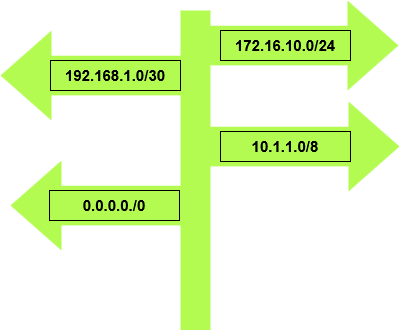
Routes! Routes tell network packets how to traffic across the network to get to their required destination by picking the best path. There are three different types of routes such as default routes, static routes and dynamic routes. Each one has its own pros and cons. Routes are stored in the routing table of routers and layer 3 switches and other layer 3 devices.
There’s a different way to routers pick the best route to send packets one way is using the administrative distance static routes and dynamic routes all have their own administrative distance is a way that Cisco makes a trustworthy decision to select the best path. Routes can also be manipulated by changing administrative distances, route maps and conditional forwarding. Here is the list the route source and the administrative distances for the most common route sources.
| Route Source | Administrative Distances |
| Connected interface | 0 |
| Static route | 1 |
| External BGP (eBGP) | 20 |
| EIGRP | 90 |
| OSPF | 110 |
| External EIGRP | 170 |
| Internal BGP (iBGP) | 200 |
Let’s talk about each route type
Default routes
Default routes are mainly manually configured, if the router is not aware of the of the destination in the routing table the router sends the packets out to the default route, example of a use case would be to send all internet traffic out to one interface or to a core router.
Default route configuration follows the following syntax
R1(config)#ip route 0.0.0.0 0.0.0.0.0 10.1.1.1
Or
R1(config)#ip route 0.0.0.0 0.0.0.0 gi0/0
The 0s tell the router to send all unmatched traffic to 10.1.1.1 or out interface gi0/0
Default routes help simplify routing tables however default routes can hide routing issues when troubleshooting networking issues and not ideal for large networks.
Static routes
Static routes are manually configured by the network engineer and tell the router which path to
send packets, they can be configured to sent to a specific network or to a specific host. Static is straight forward to configure and do not require any constant communication like dynamic routing protocols. Static routes do have a limitation when it comes to having to configure on large networks which would require a heavy workload on anyone on the networking team, there is also no automatic fail over unless configured as a floating static link. Static routes have some pros such are they are predicable admin know where traffic is going to go, static routes lower CPU usage not constantly sending updates like dynamic routing protocols, they are good for small networks or point to point links, They also provide a layer of security as they do not advise routing information with other routers on the network.
Static route configuration follows a similar syntax is default route starting with ip route followed by the Destination | Destination mask | forwarding router’s address
R1(config)#ip route 10.1.0.0 255.255.0.0 172.16.1.1
Or for a host
R1(config)#ip route 10.1.1.10 255.255.0.0 172.16.1.1
Or
R1(config)#ip route 10.1.0.0 255.255.0.0 gi0/0
Dynamic routes
There are different routing protocols for dynamic routes EIGRP, OSPF and BGP just to name the most common ones, there is also internal and external routing protocols, both EGIRP and OSPF are internal routing protocols and BGP is an external routing protocol. EIGRP, OSPF and BGP all have their different ways of determining how to choose the best path and how they calculate the best path to send packets to reach its destination.
Routing protocols are configured by the network team once configured they automatically discover, share and update routes between routers. Dynamic routing protocol work really well for large networks. Dynamic routing protocols provide fault tolerance if a link fails re routes traffic with minimum down time, they also reduce workload for the network team not having to manually added each route one by one. The cons of dynamic routing protocols use more resources on the router such as RAM, CPU and bandwidth updating, maintaining routing tables. If not configured properly there is a chance of creating a routing loop and security concerns allowing someone to intercept routing updates.
There are different ways to configure EIGRP, OSPF and BGP, there is also way to get these protocols to talk to each other using route redistribution. I’ll do a deep dive in to each of these protocols going forward and how to configure them and different ways of troubleshooting each protocol.
Troubleshooting static routes and default routes
here are some of the commands that I would use, along with the normal troubleshooting commands such as ping, trace route, checking interface status, and interface configuration, make sure the interface is not shutdown and has the correct IP address.
R1#show ip route – show the routing table and see your static routes and the default route that is configured
R1#show run | ip route – will show the configuration of the static routes and default routes that are configured on the router.
R1#show run | ip route 0.0.0.0 – will bring up the configuration of the default route.
 Luke Evans Networks
Leave a comment